For a faster response, please include your WhatsApp or Skype in your message so we can contact you as soon as possible.
To help us respond faster, please leave your WhatsApp, email, or project details. We usually reply within 24 hours. For urgent inquiries,contact us on WhatsApp: +8617862411260 or WeChat: +8617862411260. call us directly.
Clean a dust collector cartridge filter in this order: confirm the problem with a differential-pressure (DP) reading, fix the on-line pulse cleaning, run an offline clean only if DP stays high, and replace the cartridge when cleaning no longer brings DP back. In a woodworking or furniture plant, most filter trouble comes from sticky MDF and particleboard dust, moisture and a pulse system that is out of adjustment, not from the cartridge itself. This guide covers the full routine for plants running a 【Furniture Manufacturing Dust Collection → pillar page URL】 system. In the CP Series case, tightening this routine cut maintenance downtime by 40%.
Differential pressure is the pressure drop across the filter, read from the gauge between the dirty-air and clean-air sides. It is the most reliable trigger for cleaning, because a filter can look clean and still be blinded, or look dirty and still flow well.
Many plants clean on a timer. A DP-based trigger avoids both over-cleaning, which wears the media, and under-cleaning, which starves airflow at the extraction points.
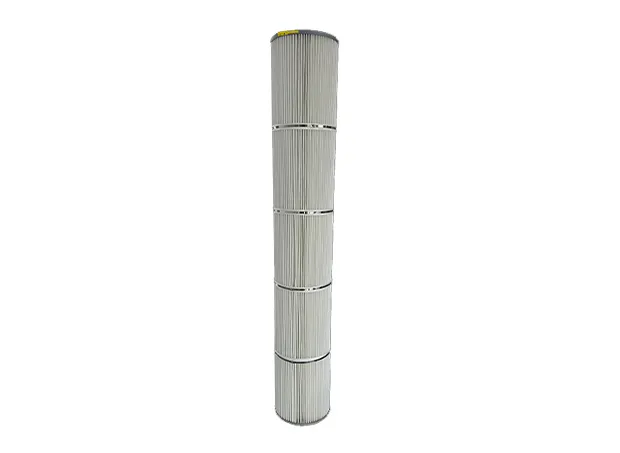
Pulse cleaning fires a short burst of compressed air backward through each cartridge to knock the dust cake into the hopper while the collector keeps running. Check these settings first, as most poor cleaning traces back to one of them:
Offline cleaning isolates a cartridge or chamber from the airflow, so the dust falls into the hopper instead of being pulled straight back onto the media. Use it when DP stays high after on-line pulsing, for example after a run of MDF, laminated board or veneer work.
Wood dust is combustible. Keep ignition sources away from the cleaning area, ground the equipment, wear respiratory protection and follow your local combustible-dust rules when opening the unit.
| Situation | What it usually means | Action |
| DP returns to baseline after pulsing | Normal dust cake | Keep current routine |
| DP high, drops after offline cleaning | Heavy cake or poor pulse setup | Fix pulse settings, repeat offline clean as needed |
| DP drops only briefly, then climbs again | Blinding from sticky or damp dust | Check air quality and moisture, then consider replacing |
| Baseline rises after each clean | Media is loading permanently | Replace the cartridge |
| Visible tears, crushed pleats or dust on the clean side | Media or seal failure | Replace now and inspect the gaskets |
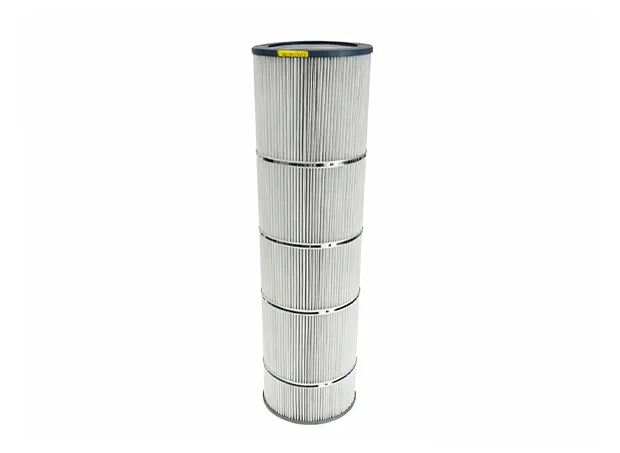
When cleaning only buys a few shifts of normal airflow, replacing the cartridge costs less than the lost suction, extra fan energy and unplanned stops.
How often should I clean dust collector cartridge filters?
By DP, not by calendar. Clean when DP reaches the upper limit set for your system; pulse control should do this automatically, with offline cleaning added when DP stays high.
Can I wash cartridge filters?
Only if the manufacturer states that the media is washable. Most wood-dust cartridges are not designed for water, and moisture makes dust cake stick harder.
Why is my DP high right after I clean?
Usually blinding from fine, sticky or damp dust, weak pulse pressure, wet compressed air or a cartridge near the end of its life.
Is a “dust collector cartridge filter cleaner” a product I need to buy?
Not usually. The term most often means the pulse-cleaning system built into the collector. Separate chemical or manual cleaners can damage the media, so use them only if the cartridge maker approves.
When should I replace the cartridge instead of cleaning it?
When the clean baseline keeps rising, cleaning stops restoring airflow for more than a short time, or the media or seals are damaged.